Sample preview
Illustrative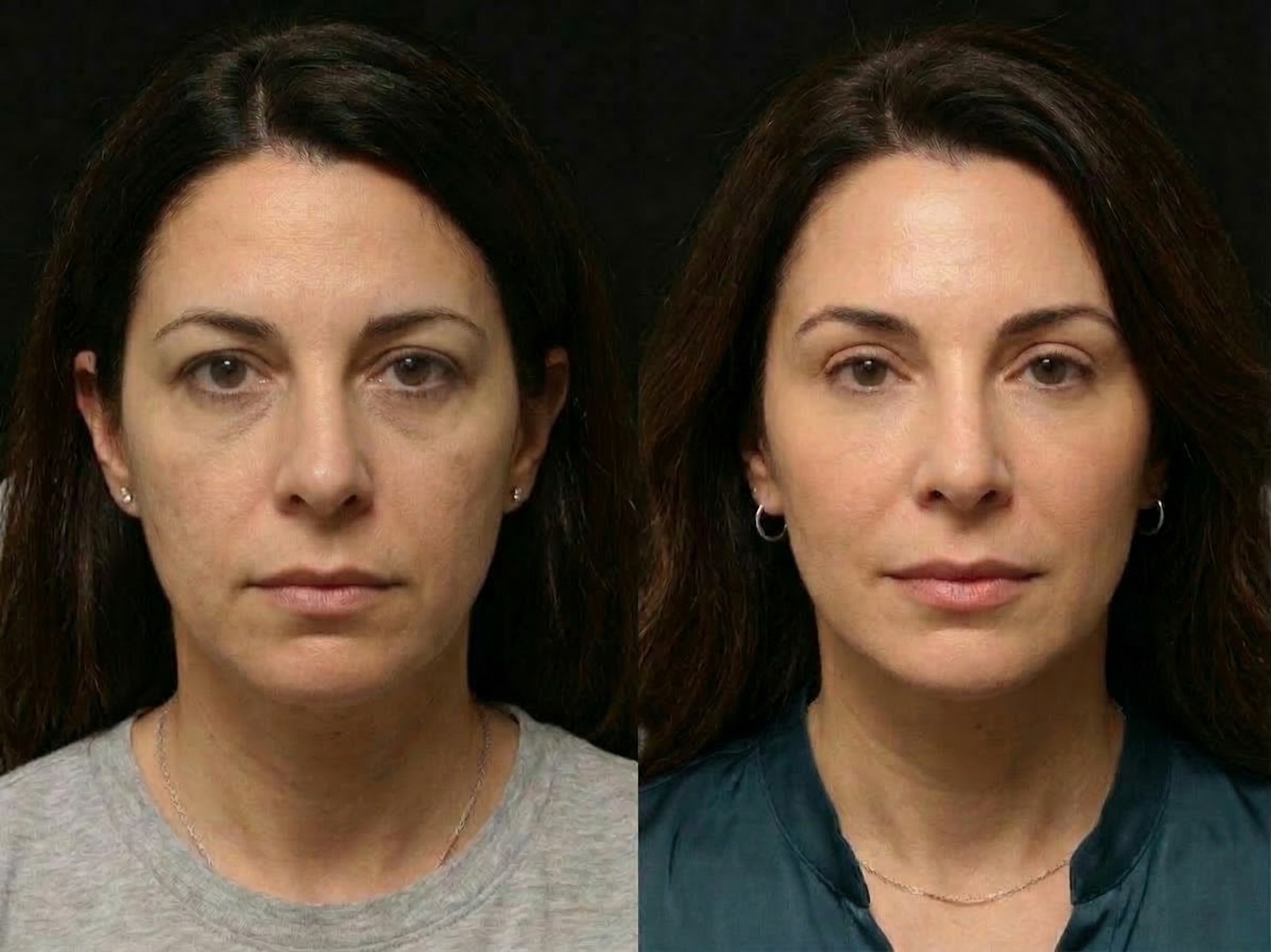
Mapped from one photo
Upload one straight-on photo and use your email to receive an approximate educational visualization, plain-language limitations, and consultation questions. No credit card required.
Sample preview
IllustrativeSample preview
See the preview format before you upload your photo
This sample shows the side-by-side preview style SurgeryViz creates from one straight-on photo. Your actual preview stays private and is generated from your own image.
What email access includes
Your email and consent unlock the complete report. No card, checkout, subscription, or recurring plan.
Photos and results stay tied to your run. If you want deletion later, email support and request it directly.
Billing questions, delivery problems, and deletion requests all go to the same support inbox with a documented response window.
The result is an informational planning aid, not medical advice, diagnosis, or a promise of outcome.
Free planning tools
Use practical worksheets for cost, recovery, coverage documentation, and result research. No account is required.
View the complete resource library →What you learn first
The goal is not to diagnose you. The goal is to help you decide whether an eyelid, under-eye, or brow consult feels worth pursuing and how to describe what you are noticing.
The tool works best when both eyes are visible, lighting is even, and the face is centered.
It uses pixel landmarks around the brow, lids, and under-eye area to prepare the visualization. It does not diagnose what causes an appearance.
Email access includes the educational photo visualization and planning notes with no checkout or credit card.
How it works
SurgeryViz keeps the path simple: save your email, upload one photo, and review your complete report.
Your complete report stays tied to one email so you can reopen it later.
You can replace a weak photo if the framing, lighting, or angle is off.
Choose an upper-lid, under-eye, brow, eyelid-opening, or general eye-area visualization. SurgeryViz does not choose a treatment for you.
Review the selected visualization areas, plain-language limitations, and consultation questions.
Try relevant planning options, download the comparison, and return through your saved email link.
What email access includes
Use the full assessment to decide whether a clinician conversation feels useful and to prepare better questions for that consultation.
Access
Free with email
Complete report, no card, no checkout, no subscription.
Email access includes a side-by-side educational image edit for consultation preparation, not a predicted result.
Read which visible photo cues were used and what questions to bring into a clinician conversation.
Your emailed link keeps working, and optional dashboard access is available whenever you want it.
Your report shows the photo areas used for the educational visualization and gives you questions to discuss with a qualified clinician.
The report is written for patients preparing for a consult, not for surgeons looking for technical shorthand.
Your complete report stays available from the emailed link, and you can attach it to a dashboard later if you want a single home for future runs.
FAQ
SurgeryViz is for adults who want a private, early look at eyelid, under-eye, or brow changes before deciding whether a consult feels worthwhile.
It is not for urgent medical issues, diagnosis, or anyone expecting the report to replace an in-person exam. It is consult-prep, not medical advice.
You get an approximate before-and-after visualization, plain-language limitations and questions, and a saved link you can reopen later.
No. Save your email, accept the image-use consent, and your complete report opens when processing finishes.
Use a straight-on image with even lighting, both eyes visible, and a neutral expression. If the photo is too dark, angled, or blocked, replace it before continuing.
Yes. Email support@surgeryviz.com if you want a run, image, or customer record reviewed for deletion.
No. Email is required before upload so your run can be saved, but a full account is optional until you want everything in one dashboard.
Ready when you are
Save your email, upload your photo, and receive the complete report and simulation. Keep the saved link for later.
What you need
One straight-on photo
What you receive
Full simulation, notes, and saved access
What it costs
Free with email — no card